The best IOL for computer work is not determined by your job title. First establish your working distance, the kind of work you do and whether you want to do it without glasses. Then you have something concrete to discuss with your surgeon.
“Seeing a computer” is not one task
Reading a short message in large type and checking small figures in a spreadsheet for hours make different demands on vision. The screen is the same; the work is not.
You may be able to make out the text if you concentrate. Or you may be able to read it easily, in your usual posture, without increasing the zoom whenever you change windows. That distinction between “I can technically see it” and “I can use it comfortably” matters. It is central to how I explain lens choice for everyday life.
At an appointment, you may read a few letters on a chart. That is a useful test, but it does not reproduce your whole working day. Alongside the test results, describe the actual task: what kind of text, at what distance, and for how long.
One simple thing to do before your consultation
Sit at your computer as you normally work. Do not sit specially upright for the measurement or lean closer to make the screen clearer. Measure from your eye to the surface of the screen. Keep a ruler or tape measure to the side, away from the eye itself; asking someone to help is easier.
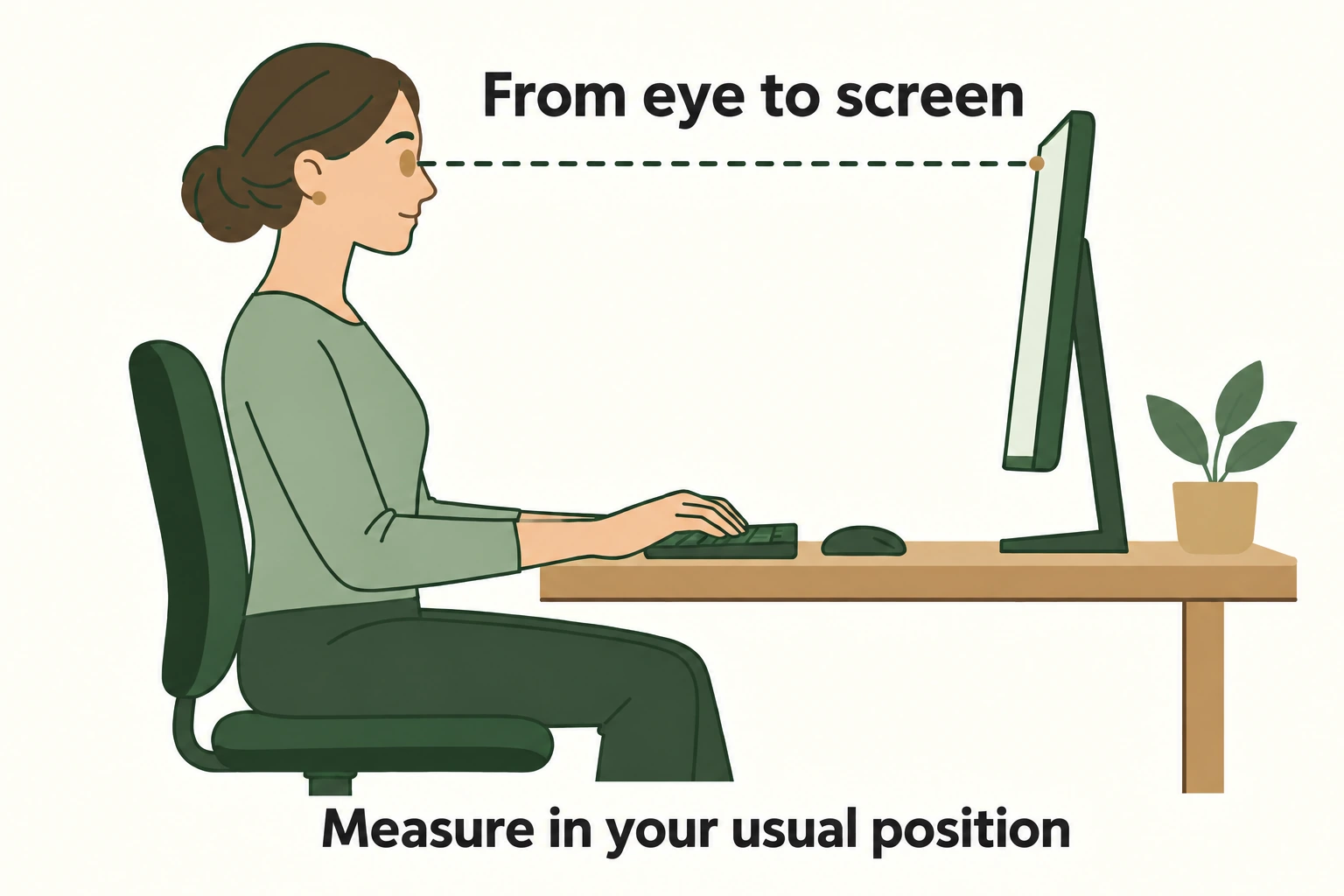
Record whether you use a second screen and whether you frequently look down at papers or a phone. If your monitor is, for example, 70 cm away and your phone 35 cm away, those are two different distances. The numbers are examples, not a standard or a recommendation for your eye.
Vision at a desktop working distance is often called intermediate vision. A phone or book held closer is a near-vision task. The boundary is not identical for every workstation, which is why “this lens gives intermediate vision” needs a follow-up: at what distance was that tested?
If glasses at the computer are acceptable
A monofocal IOL targeted for distance, with separate glasses for work, can be a deliberate and reasonable choice. The important thing is agreeing on it beforehand, rather than discovering the need for those glasses after surgery.
Glasses for close reading will not necessarily suit a more distant monitor. Bring your measurements to the person fitting your glasses and explain which distances you move between. Royal Free London’s patient information explicitly mentions computer glasses with standard monofocal IOLs.
The monofocal lens explanation covers the basics. If your main question is how to compare individual models, start with the companion article “Best Monofocal IOL?”.
If you would prefer to work without glasses
Now the question becomes how broad a range of vision you need.
An enhanced monofocal lens may give you more ability at an intermediate distance. Eyhance is one example. But a better vision-test result is not a promise of comfortable all-day work with any font size. Start with the category explanation, then the Eyhance review and its clinical evidence.
Extended-depth-of-focus lenses, or EDOF lenses, are designed for a broader zone from distance towards intermediate vision. In everyday terms, they aim to help you see closer rather than providing distance vision alone. That is not a promise of small print without glasses. The Vivity and PureSee reviews show why you then need to examine the individual model. Sharing a category name does not make them identical.
Full-range lenses, including trifocals, are worth discussing if your work extends beyond a monitor to papers and small print closer up. They offer more scope to manage different distances without glasses, but unwanted rings around lights are more common than with standard monofocal optics. The ESCRS recommendations explain that broad distinction. Start with the full-range category, not a promise that one model will solve every task.
There is another approach: planning a different focus for each eye. This is not a separate IOL category but a way of using the lenses. The companion article on choosing a focus target explains it.
What “good intermediate vision” leaves out
When reading a study or an advertisement, look for three details: the test distance, whether glasses were used, and whether the result describes one eye or both together. Otherwise, you may compare unlike results and reach the wrong conclusion about your own monitor.
For example, a chart tested at 66 cm does not directly tell you how you will see a phone at 35 cm. And a result measured after fine-tuning vision with an additional spectacle lens should not be presented as what every patient will achieve without glasses.
Recognising black letters against white is not the only useful ability. Pale interface elements, fine lines and subtle detail in a photograph ask something different of vision. The article on contrast sensitivity helps explain this. None of these measures, on its own, can promise that your eyes will never feel tired.
What to take to your surgeon
Not a ranking of “lenses for programmers,” but a short description: “My main screen is this far away. I work with this size of text. I often look at my phone. Glasses for a book are acceptable, but I would prefer not to need them for the monitor.”
Then ask three questions:
- Given the condition of my eyes, what unaided vision do you expect at my actual monitor distance?
- What will change for my phone and papers closer up—where are glasses likely to remain necessary?
- Which differences between the proposed options matter to my work and evening vision, rather than just to a chart in the clinic?
That is where choosing an IOL for computer work starts. Not with your profession or the most expensive option, but with what you actually do with your eyes each day and how you want to do it after surgery.
Watch the explanation
Monofocal lens truth - life after cataract surgery — English · April 2024.